Stretched Bar Display vs. Standard Monitor: Which One Is Right for Your Business?
Updated May 202605219 min readDisplay Technology Guide
Not all display decisions are equal. If you're outfitting a retail store, transit system, or industrial environment, choosing between a stretched bar display and a standard monitor can directly affect customer engagement, installation cost, and long-term ROI. Here's everything you need to know.
$3.04BGlobal bar-type display market (2025)
7.86%Annual market CAGR through 2033
$6.03BProjected market size by 2033
35%North America market share
IN THIS ARTICLE
→ What is a stretched bar display?
→ Head-to-head: key specification differences
→ Where each display type performs best
→ ROI and total cost of ownership
→ Final verdict: how to choose
→ FAQ
What is a stretched bar display?
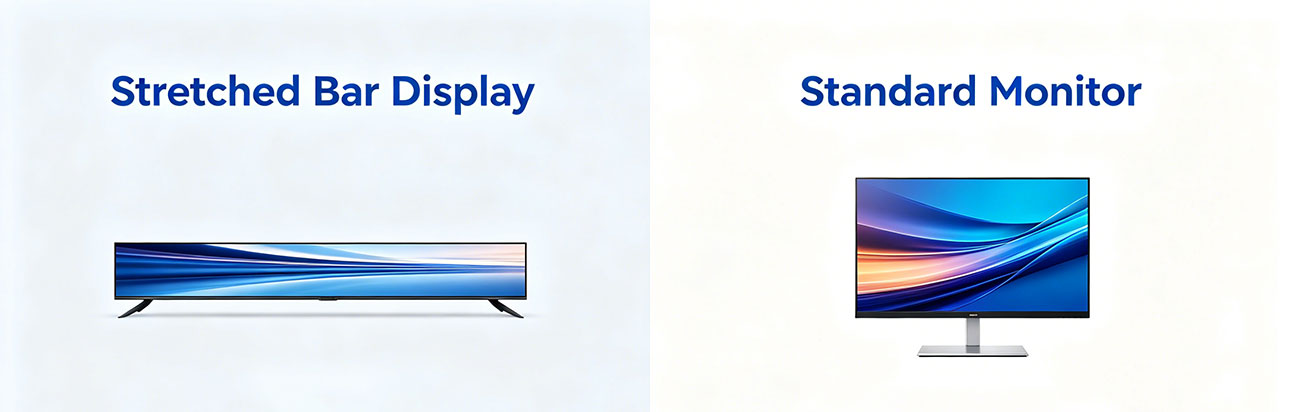
A stretched bar display — also called a bar-type LCD or ultra-wide bar screen — is a specialized monitor built with an elongated aspect ratio, typically ranging from 16:3 to 32:9 or even wider. Unlike the familiar 16:9 proportions of a standard monitor or TV, stretched bar displays are engineered for narrow horizontal spaces where conventional screens simply don't fit.
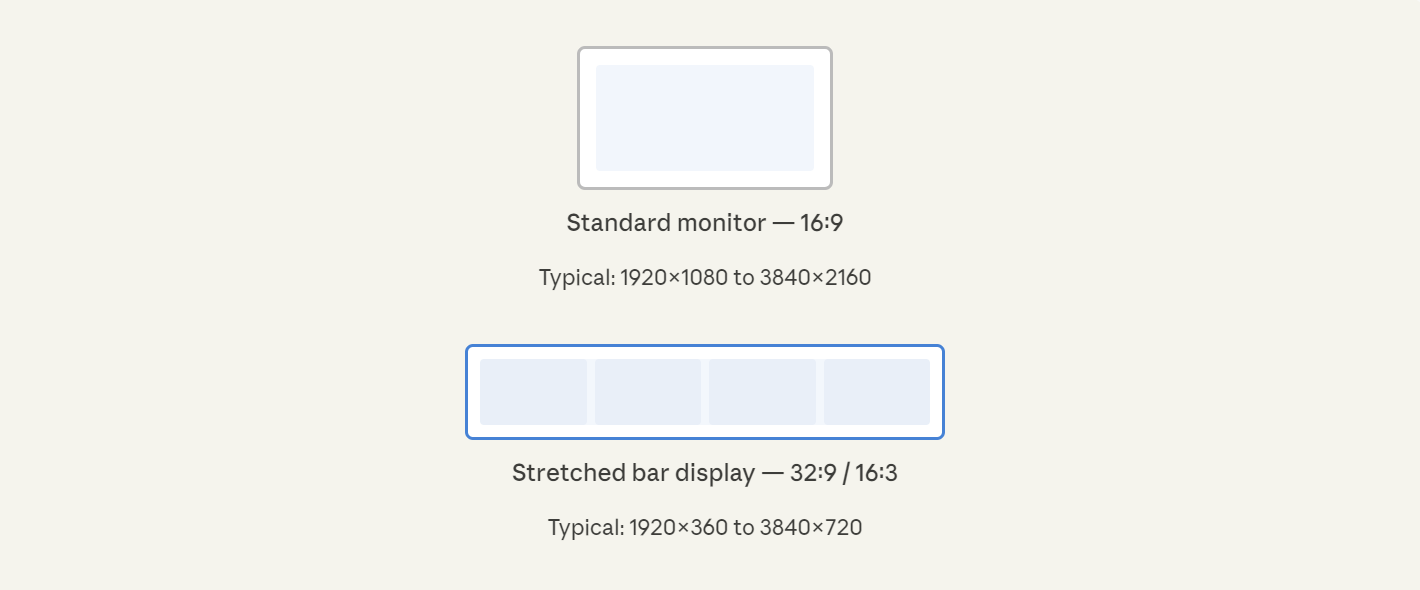
The key distinction isn't just shape — it's purpose. A 37-inch 32:9 stretched bar display provides roughly the same horizontal visual real estate as two 24-inch monitors placed side-by-side, but in a single seamless panel with no bezel gaps and far simpler installation. This makes them invaluable wherever continuous, wide-format content matters more than height.
Industry fact: 70% of consumers ignore standard displays in high-traffic retail environments. Stretched bar formats, with their distinctive aspect ratio, are proven to break this pattern and capture attention at the point of decision.
Head to head: key specification differences
Before making any purchasing decision, it helps to understand where these two display categories diverge technically.
Standard monitor
Aspect ratio16:9
Typical resolution1080p – 4K UHD
Brightness250 – 500 nits
Brightness (high-end)Up to 1000 nits
Operating temp10°C – 40°C typical
Typical lifespan30,000 – 50,000 hrs
Install orientationLandscape / portrait
Content typeGeneral purpose
Touch supportOptional
Stretched bar display
Aspect ratio16:3 / 32:9 / custom
Typical resolution1920×360 to 3840×720
Brightness500 – 1500 nits
Brightness (high-end)Up to 3000 nits
Operating temp-20°C – 70°C (industrial)
Typical lifespan50,000 – 70,000 hrs
Install orientationHorizontal (standard)
Content typeSignage, data, panoramic
Touch supportCapacitive or resistive
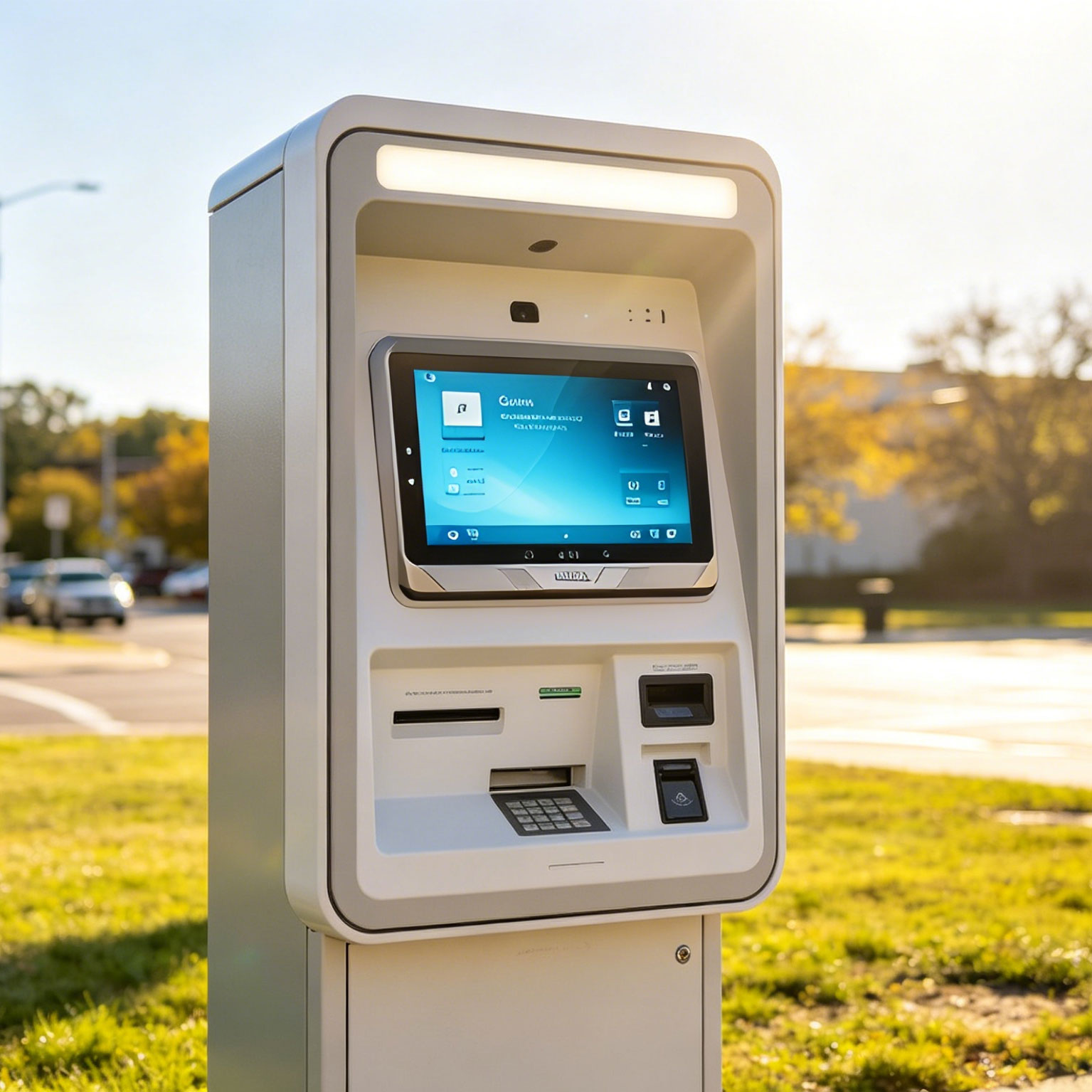
The brightness difference alone is significant. Industrial-grade stretched bar displays can reach 3,000 nits — roughly ten times a typical office monitor — making them legible in direct sunlight, high-ambient retail environments, or outdoor transit shelters where standard monitors would wash out completely.
Where each display type performs best
This is where the decision becomes practical. The right choice comes down to your specific deployment environment and what your audience needs to see.
Stretched bar displays excel in these environments
Retail shelf edge
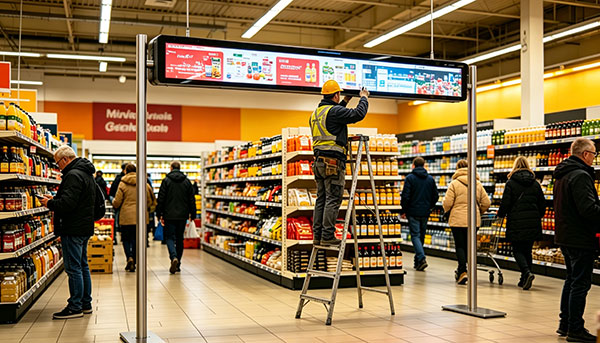
Replace static price tags with dynamic content. One supermarket chain reported a 28% sales uplift and reduced pricing errors from 22% down to 2% after deployment.
Transit & transportation
Ideal for train carriages, subway platforms, and airport concourses. Curved consoles and narrow overhead channels fit bar displays perfectly.
Digital menu boards
Restaurants and QSR chains use stretched formats above service counters where height is limited but width is available. Real-time pricing and promotions.
Industrial control panels
Machine interfaces, HMI panels, and rack-mounted server dashboards benefit from the wide format to display multiple data streams simultaneously.
Automotive & vehicle
Instrument cluster displays, in-cabin infotainment, and fleet management panels. MIPI and LVDS interfaces fit seamlessly into curved dashboards.
Healthcare facilities
Corridor and ward information displays. Over 51% of U.S. hospitals now use stretched bar formats for digital noticeboards and patient-facing communications.
Standard monitors remain the better choice for
General office and productivity work. Writing, spreadsheets, video calls, and creative work all benefit from the 16:9 aspect ratio that software is universally designed around. Forcing general-purpose apps onto a bar display creates awkward UI scaling.
Video production and media consumption. Film, TV, and most streaming content is mastered in 16:9. A standard monitor renders this without letterboxing or cropping artifacts.
Single-user data analysis and design. Graphic designers, analysts, and developers typically work better with a tall 16:9 screen or a dual-monitor setup rather than a single wide bar.
Budget-constrained single-user setups. For a single workstation, standard monitors offer dramatically lower cost per square inch of usable screen space for general tasks.
ROI and total cost of ownership
The conversation around cost is more nuanced than unit price. Stretched bar displays carry a higher upfront cost than commodity monitors, but the total cost of ownership calculation often favors them in commercial deployments — for three specific reasons.
1. Longer rated lifespan. Commercial-grade stretched bar displays are typically rated for 50,000 to 70,000 hours of continuous operation, compared to 30,000–50,000 hours for consumer monitors. In a 24/7 retail or transit environment, this difference translates directly into fewer replacement cycles over a 5-year period.
2. Energy efficiency at scale. Modern stretched bar displays engineered for commercial deployment consume up to 30% less power per square inch than legacy multi-panel setups they replace. At scale — dozens or hundreds of units — this adds up to material electricity cost savings annually.
3. Measurable engagement impact. In retail deployments, stretched bar displays integrated with dynamic content management systems have demonstrated 25–30% improvements in customer engagement metrics. For businesses where display-driven conversions are measurable, the ROI case becomes straightforward.
The primary cost challenge is initial capital outlay and integration with existing CMS infrastructure. Approximately 44% of businesses cite cost concerns, and 41% report integration friction as the main deployment barrier. Working with a vendor who provides pre-integrated CMS compatibility and hardware support substantially reduces both.
Final verdict: how to choose
There's no single right answer — but there is a clear decision framework based on your deployment context.
Choose a stretched bar display if: you're deploying in a space-constrained environment, need continuous wide-format content (pricing, schedules, promotions), require outdoor-rated or high-brightness performance, or are replacing multi-panel signage rigs that create bezel gaps.
Choose a standard monitor if: your primary use is single-user productivity, video content consumption, software development, or any application where 16:9 software compatibility matters. Standard monitors also win on price-per-unit for non-commercial workstations.
Still unsure? The clearest signal is installation geometry. If your target space is wider than it is tall — a shelf edge, a transit ceiling, an overhead kiosk rail — a
stretched bar display is almost certainly the right tool. If you're replacing a desk monitor, it almost certainly isn't.
Frequently asked questions
Can stretched bar displays run standard video content?
Yes, but native video content designed for 16:9 will letterbox or require cropping when displayed on a bar format. For best results, content should be purpose-designed for the specific aspect ratio of your display. Most modern CMS platforms support bar-format templates natively.
What resolutions are available for stretched bar displays?
Common resolutions range from 1920×360 and 1920×540 for smaller units up to 3840×720 for 4K-class bar displays. The specific resolution depends heavily on the physical size and aspect ratio. When comparing models, pixel density (PPI) is a better benchmark than resolution alone.
Do stretched bar displays work outdoors?
High-brightness models rated at 1500–3000 nits are designed for outdoor or semi-outdoor use. You'll also want to confirm IP-rated enclosures for dust and moisture protection, and an extended operating temperature range (typically -20°C to 55°C or beyond) for unheated outdoor environments.
How are stretched bar displays connected and managed?
Most commercial units support HDMI, DisplayPort, and RS232 or LAN-based remote management. Many integrate with major digital signage CMS platforms (BrightSign, Chrome OS for signage, etc.) via network. Industrial variants may use MIPI or LVDS for embedded applications.
Are stretched bar displays suitable for 24/7 operation?
Commercial-grade stretched bar displays are specifically designed for continuous operation. Unlike consumer monitors that may not be rated for non-stop use, most professional bar displays carry 24/7 operating certifications and are backed by commercial warranties covering this usage pattern.
Need help selecting the right display?
Tell us about your installation environment and we'll recommend the best stretched bar display spec for your application.